Encounter Builder
Encounter Builder
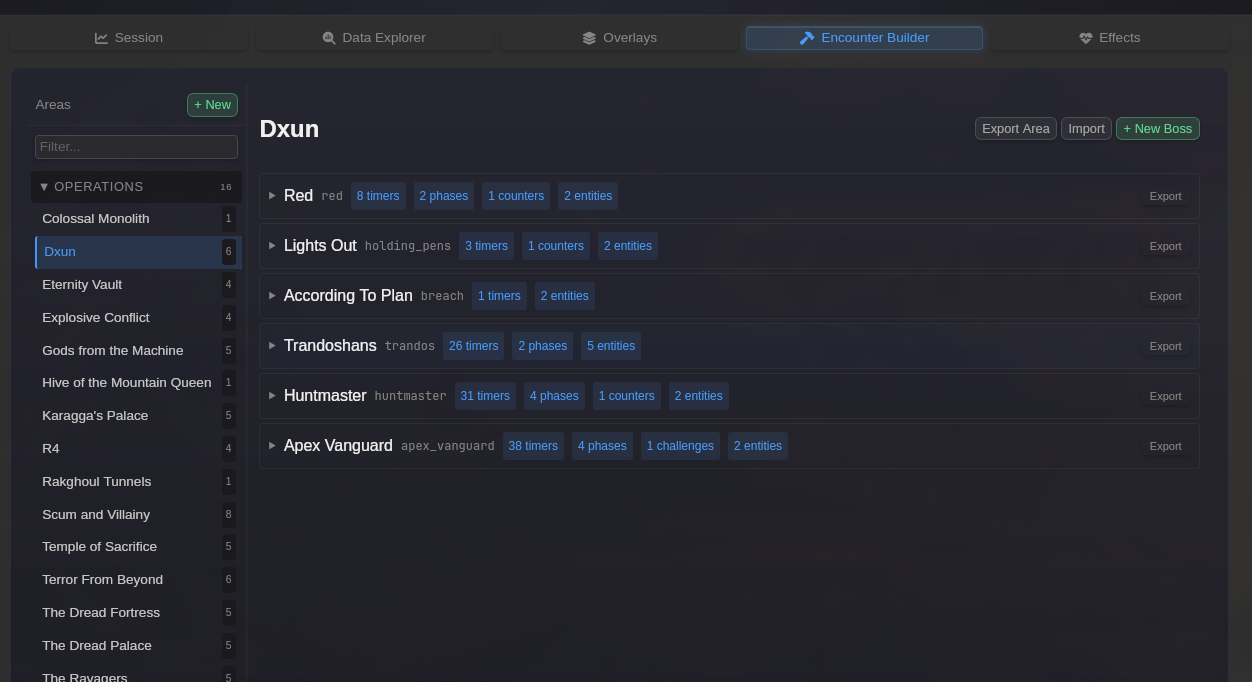
Section titled “Encounter Builder”The Encounter Builder is BARAS’s configuration system for boss encounters. It allows you to define how encounters are detected, tracked, and displayed - nothing is hardcoded.
Access the Encounter Builder from the Encounter Builder tab in the main application.
Key Concepts
Section titled “Key Concepts”Encounters are Configuration-Driven
Section titled “Encounters are Configuration-Driven”Every boss encounter in BARAS is defined through configuration. This means you can:
- Customize existing encounters to match your preferences
- Create entirely new encounter definitions
- Share configurations with other players
Components of an Encounter
Section titled “Components of an Encounter”Each encounter definition consists of several interconnected components:
| Component | Purpose |
|---|---|
| Entity Roster | Define which NPCs are part of the encounter |
| Phases | Break the fight into trackable segments |
| Timers | Track boss abilities and mechanics |
| Counters | Track encounter state for complex logic |
| Challenges | Define performance metrics to track |
| Notes | Display encounter-specific reminders |
Entity Roster
Section titled “Entity Roster”The entity roster defines which NPCs belong to an encounter and how they should be tracked.
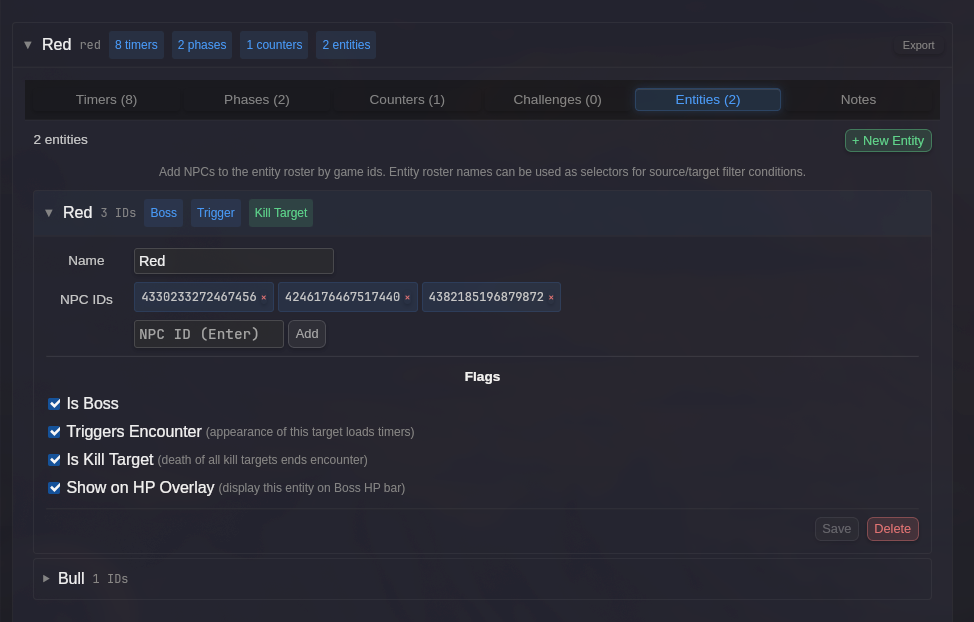
Key settings for each entity:
- Triggers Encounter - Starts the encounter when this entity appears
- Is Boss - Include in boss DPS calculations
- Show on HP Overlay - Display health bar on the Boss Health overlay
- Is Kill Target - Encounter ends when all kill targets die
Entities can be referenced by name in triggers throughout the encounter definition.
Phases
Section titled “Phases”Phases divide an encounter into distinct segments for analysis and timer control.
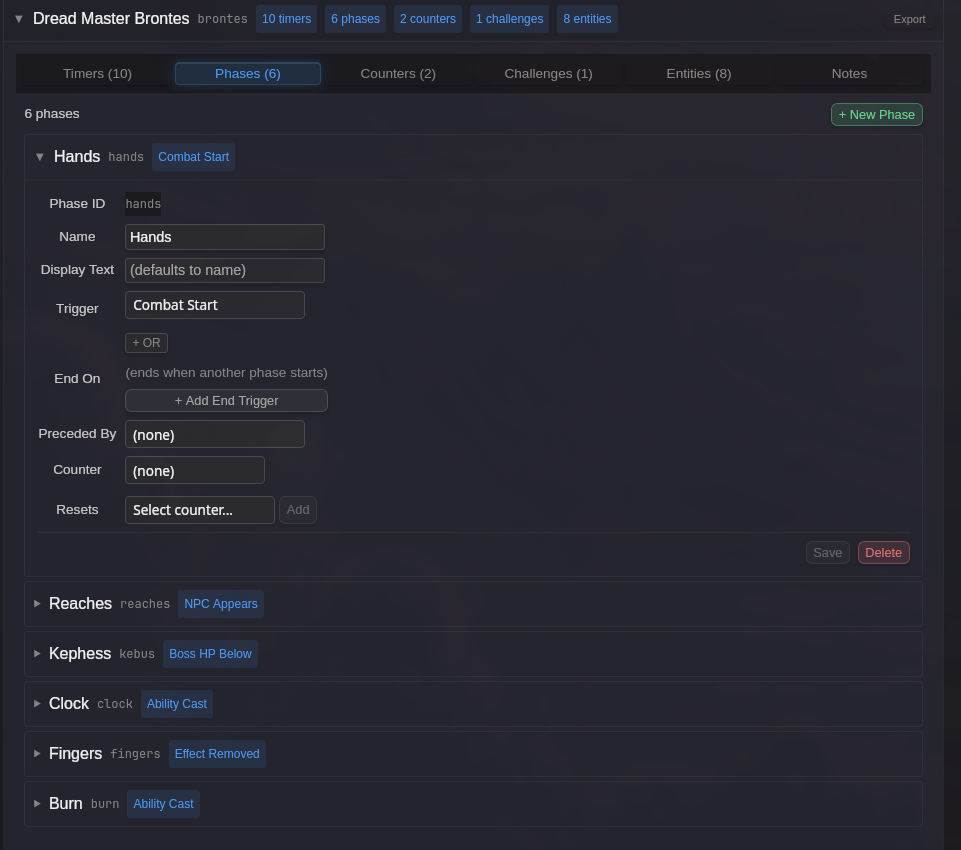
Use phases to:
- Track DPS during specific burn windows
- Restrict timers to certain portions of the fight
- Trigger mechanics when phases start or end
Timers
Section titled “Timers”Timers track boss abilities and mechanics with countdown displays and alerts.
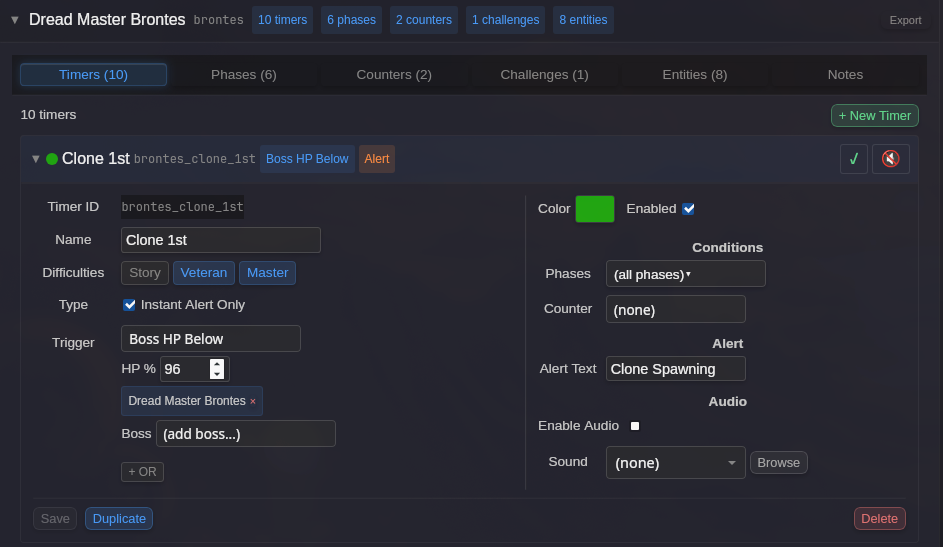
See Encounter Timers Reference for detailed configuration options.
Counters
Section titled “Counters”Counters track encounter state over time, enabling complex conditional logic.
Use counters to:
- Track how many times a mechanic has occurred
- Gate phases or timers behind specific conditions
- Handle mechanics that change behavior based on count
Challenges
Section titled “Challenges”Challenges track specific performance metrics during an encounter.
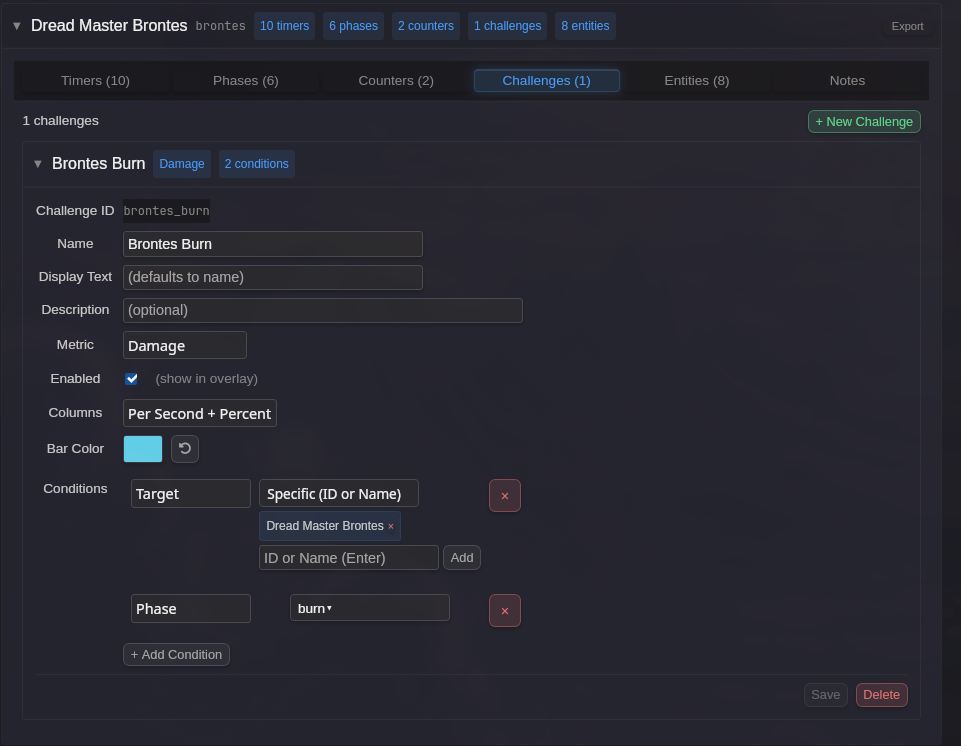
Available metrics include damage, healing, ability counts, and more. Challenges can be scoped to specific phases, targets, or conditions.
Getting Started
Section titled “Getting Started”- Navigate to the Encounter Builder tab
- Select an operation or boss from the encounter list
- Expand sections to view and edit components
- Changes are saved automatically
For detailed field descriptions, see the Encounter Builder Reference.