Tracking Effects
Case 1: Tracking Tank Debuffs on Bosses
Section titled “Case 1: Tracking Tank Debuffs on Bosses”Situation
Section titled “Situation”You are a Darkness tank and you want to ensure boss uptime on the debuffs applied by Wither and Discharge. While in single target situations it easy enough to look at the boss’s debuff bar, in cases where there are multiple bosses it can be difficult to track these in the game UI.
Solution
Section titled “Solution”First we find the effect names and IDs in the combat log. Weakened is applied by Wither, Unsteady is applied by discharge.
- Weakened (Physical) 975687720632576
- Unsteady (Force) 4056527891595602
Creating an Effect
Section titled “Creating an Effect”First we will will create an effect with a new effect with the name Sin Tank - Weakened. A specific name will help when searching or filtering through a list of effects.
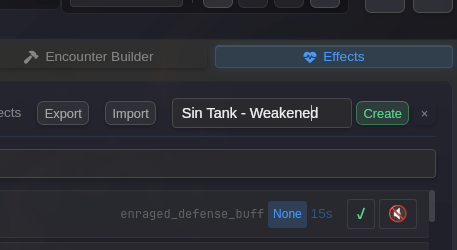
Configuring the Effect
Section titled “Configuring the Effect”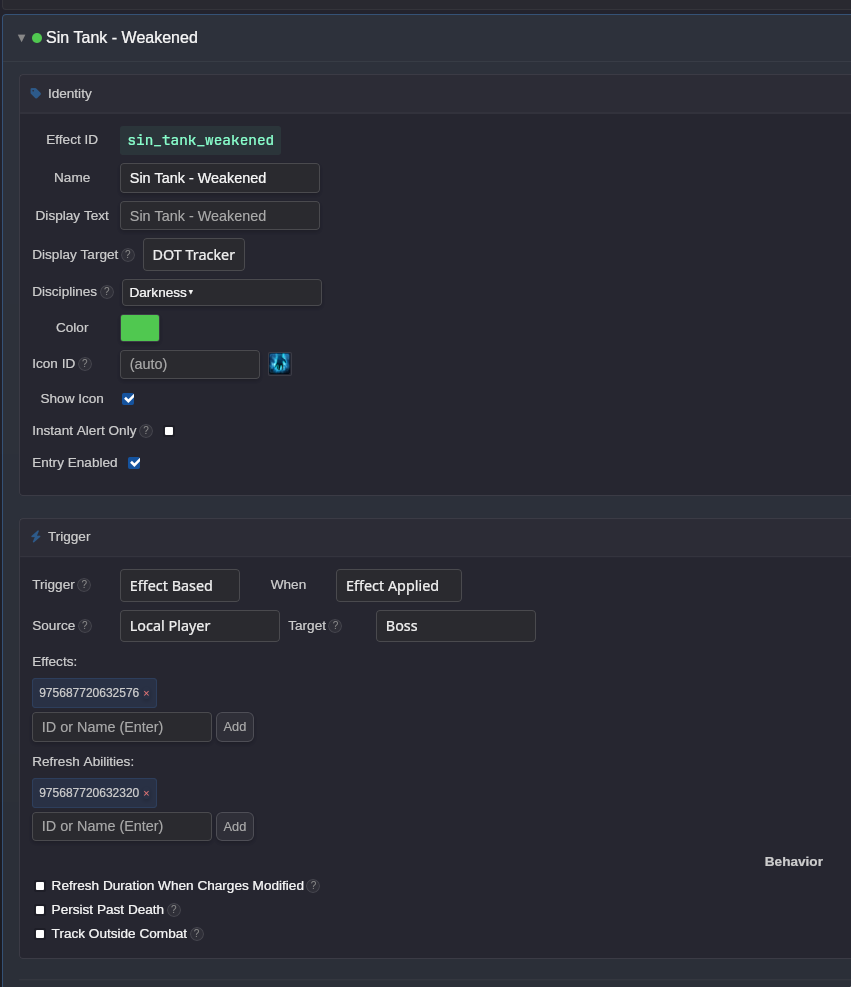
In the UI we must put deliberate thought into how the effect is configured.
Display Target - DOT Tracker. Although this effect doesn’t provide damage, it structurally the same: a negative effect that can be applied to multiple enemies. Placing it in the DOT tracker provides the best formatting.
Disciplines - We can scope the effect to the Darkness discipline. However if the effect ID is already unique to the discipline this is redundant.
Trigger - We trigger this entry whenever the effect is applied
Source - We are only interested in tracking abilities WE cast, which corresponds to the local player.
Target - Boss. Bosses are more important to track than adds, so we can scope this effect to only display on boss enemies.
Effects - We put in the effect ID found in the combat logs for Weakened. Using the ID is usually more reliable and preferred.
Refresh Abilities - When an effect is refreshed by recasting an ability, there is no entry in the combat log that informs this. We have to manually specify which ability(ies) refresh this effect. In this case only recasting Wither on the target will refresh it, so we put the ID for Wither as the only refresh ability.
Now we’ve got a properly configured effect. We set the duration to 45 seconds to match the effects duration in the game.
Using the Effect
Section titled “Using the Effect”We’ve gone ahead and created a similar Unsteady effect. Now we can test it out in game by attacking the operations training dummy.
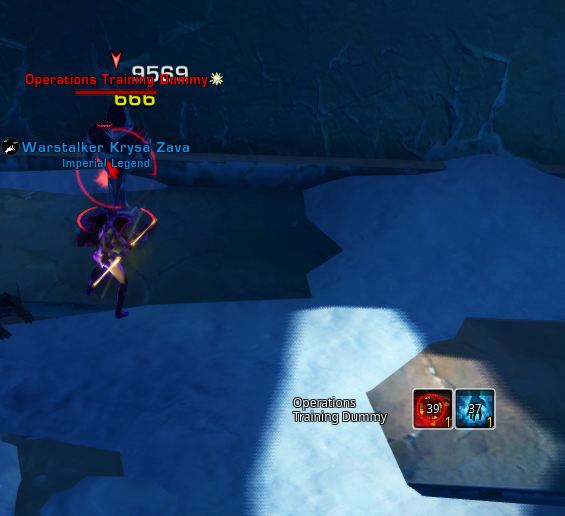
Icons representing our debuffs on the boss show up, and will refresh when the ability is recast on the boss. Additionally they will immediately be removed if combat is exited or the boss dies.