Setting up Raid HOTs
Enabling Raid Frames
Section titled “Enabling Raid Frames”Healers can track their HOTs by using the Raid Frames overlay. This is a highly customizable overlay that is intended to be placed over the operations frame in SWTOR’s UI.
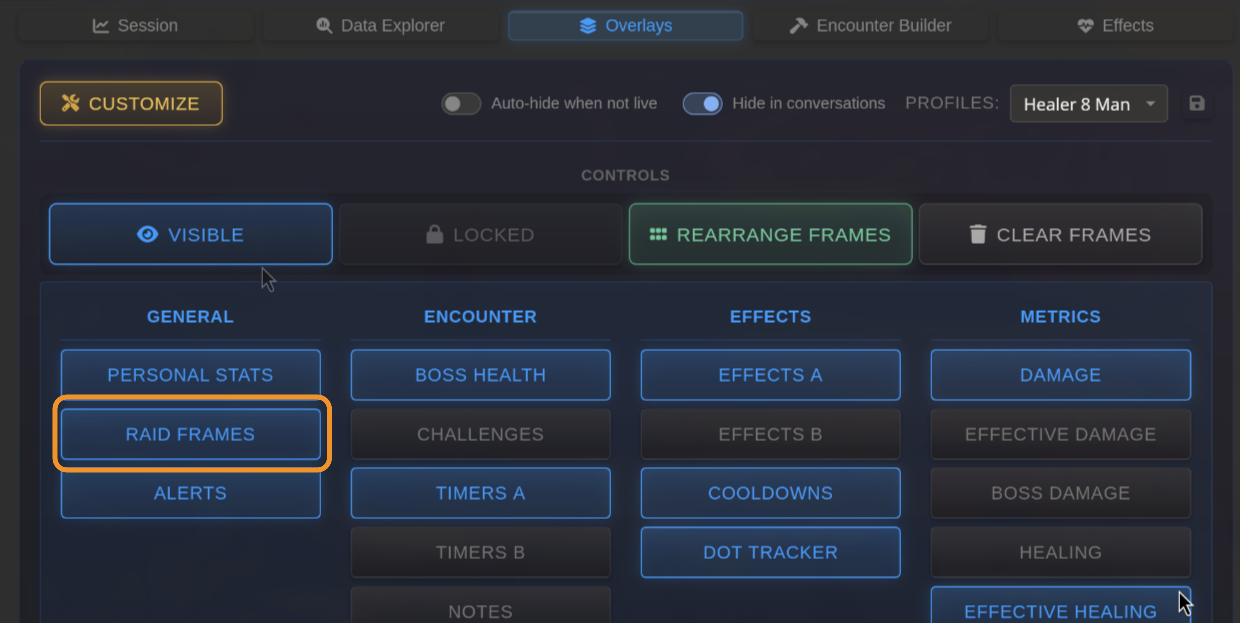
To get started, navigate to the Overlays tab and click on the Raid Frames button under the general overlay’s section on the left-hand side of the screen.
The raid frames overlay will appear on your screen. Toggle Move Mode to show a skeleton of the frame layout.
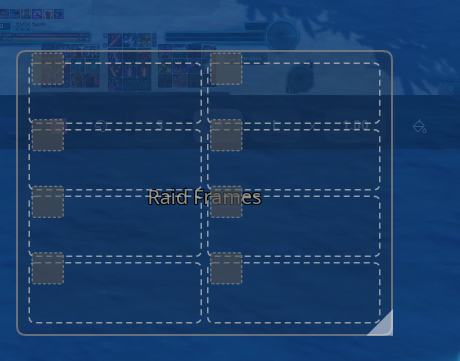
From here, set the position and size of your raid frames.
Registering Players
Section titled “Registering Players”In order to register a player to raid frame, you must apply an effect that is 1) tracked by BARAS in the Effects Tracker and 2) Has the Raid Frames as the chosen display target.
The common healer default abilities such as Kolto Probes, Kolto Shells, Static Barrier, and others will show on the raid frames by default. Other abilities can be added in the effects editor.
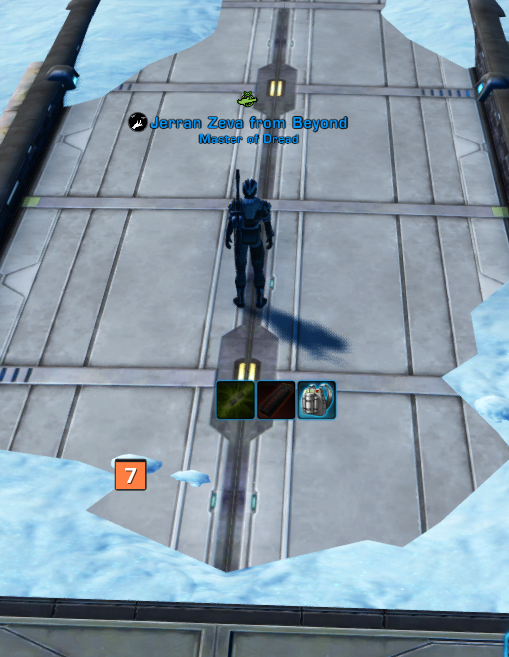
In this example my Commando cast Trauma Probes on himself. An entry has appeared on the raid frames showing that ability. This player is now registered on the raid frames and will show any subsequent effects applied in the same position.
Adjusting Frame Order
Section titled “Adjusting Frame Order”BARAS has a raid frame control mode called Rearrange Mode this is separate from the overlay move toggle, and allows you to adjust the order of players in the raid frame without accidentally moving the overlay’s location on the screen.
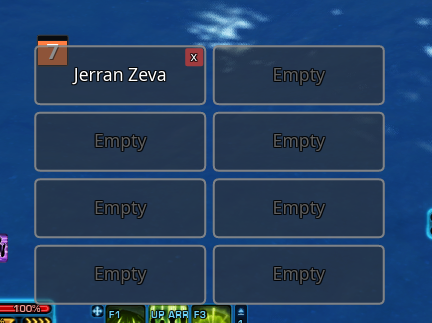
To rearrange players on the overlay simply click on the entries to swap them. You can swap players and empty entries.
Click on the red X in the top right corner or a frame in order to remove the player from the overlay’s registry.
In order to clear all frames, you can click the eraser icon in the UI or bind a hotkey shortcut.