Customizing Overlays
Overview
Section titled “Overview”Each overlay in BARAS has a wide variety of customization options
Background Opacity
Section titled “Background Opacity”Overlays show with a grey, opaque background on default. This is intended to give instant feedback that the overlay has appeared. However, there are several options that can be tweaked to get to your desired display.
Opacity Scale
Section titled “Opacity Scale”Every overlay has an individual background opacity toggle. The settings can range from fully transparent to completely opaque. All text is render with either a shadow or text glow effect in order to remain readable at all opacity settings.
Metrics overlays all share the same opacity setting in the Global Metrics Settings section of the customization menu.
Dynamic Backgrounds
Section titled “Dynamic Backgrounds”Users who choose to use an opaque background can render choose the Dynamic Background setting for their overlays.
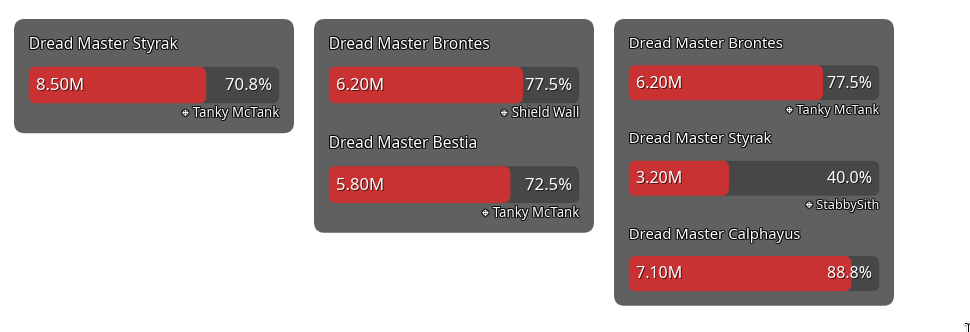
This setting tells the overlay to only render the background relative to data that’s present on screen. For example, if a user is using the boss health overlay, the background will not show until a boss fight begins. Additionally, the background will only render to fit the number of active boss health bars, instead of the full window size.