Switching from StarParse
Switching from StarParse
Section titled “Switching from StarParse”Why Should I Swap?
Section titled “Why Should I Swap?”-
Active Development - Starparse hasn’t received an update in over 4 years. It’s a legacy application based on Java 8, whose end of life is rapidly approaching. It’s likely the application will begin experiencing “software rot” as newer hardware and software is built that doesn’t support the language.
-
Performance - BARAS is highly optimized. It parses logs around over 10 times faster than Starparse and uses 4 to 5 times less RAM. BARAS is also designed to be memory stable; it only keeps the active encounter data in memory so performance doesn’t degrade overtime. If you have a lower-end PC it’s a no-brainer to swap.
-
Features - Far more features that are focused on the new log format. Starparse was initially developed pre 7.0 logging and support was added on. Auto hiding overlays, an intuitive profile system, log file indexing, automatic pull count tracking, and more just make the raiding experience better.
-
Customization - There’s more overlays and more customization options. BARAS has a custom rendering engine and a huge amount of flexibility. Go fully transparent or set your desired opacity. Order your personal stats in the order you want. Tweak font-size and colors.
-
You’re a Healer - The developer was a healer main and the raid frames have been developed with the healer experience in mind. They’re the best-in-class experience. You can adjust the countdown time to your character’s alacrity. Sorcerers can track resurgence spread. Mercenaries can see the time remaining on their Kolto shells. Even role and class icons can be toggled on the display so you never have to wonder who the tank is during that pug.
Importing Your Timers and Effects
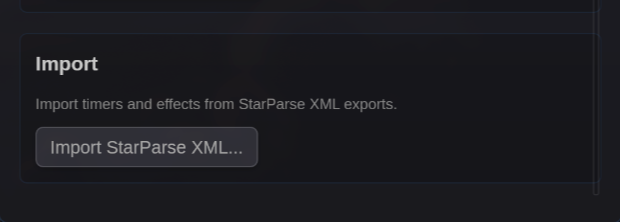
Section titled “Importing Your Timers and Effects”BARAS can import timers and effects from StarParse XML exports.
How to Import
Section titled “How to Import”- In StarParse, export your timers/overlays as XML
- In BARAS, go to the Settings tab
- Find the Import section
- Click Import StarParse XML…
- Select your exported XML file
- Review the preview showing what will be imported
- Click Import to apply
What Gets Imported
Section titled “What Gets Imported”| StarParse Feature | BARAS Equivalent |
|---|---|
| Timers | Encounter timers |
| Effects/Overlays | Effect tracker entries |
The import preview shows the count of items that will be imported before you confirm.
Built-in Timers
Section titled “Built-in Timers”Starparse built in timers rely on hard-coded logic within the codebase. These cannot be imported.