Data Explorer
Data Explorer
Section titled “Data Explorer”The Data Explorer is BARAS’s post-combat analysis tool. Review past encounters with detailed performance metrics, charts, and breakdowns for every player in your group.
Access the Data Explorer from the Data Explorer tab in the main application.
Controls
Section titled “Controls”The data explorer can be expanded to the full window by pressing the icon on the top-right of the tab selector.
Encounter List
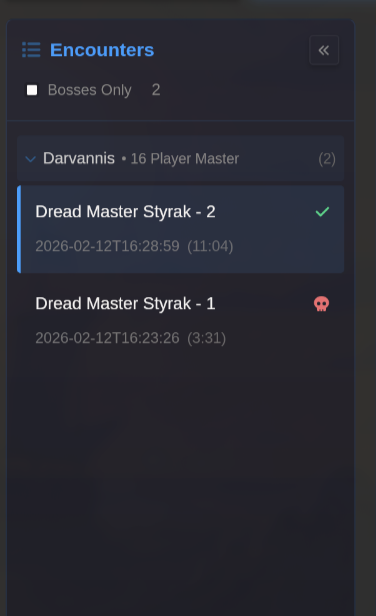
Section titled “Encounter List”The left sidebar displays all parsed encounters from your combat log. Encounters will appear here after combat ends.
- Bosses Only - Filter to show only boss encounters
- Click the arrow buttons in the to-left corner to hide the encounters sidebar
Click an encounter to load its data in the main panel.
Phase Timeline
Section titled “Phase Timeline”The horizontal timeline at the top shows encounter phases. Click a phase to filter the data to that time window. All data explorer tabs will dynamically adapt to the selected time range.

Use can filter the timeline by:
- Clicking and dragging the mouse over a segment
- Clicking on a phase badge
- Clicking on a phase in the timeline
- Entering start/end times in the selection box below the timeline
- Right clicking on a specific line in the combat log and setting it as the start/end time
Analysis Tabs
Section titled “Analysis Tabs”Overview
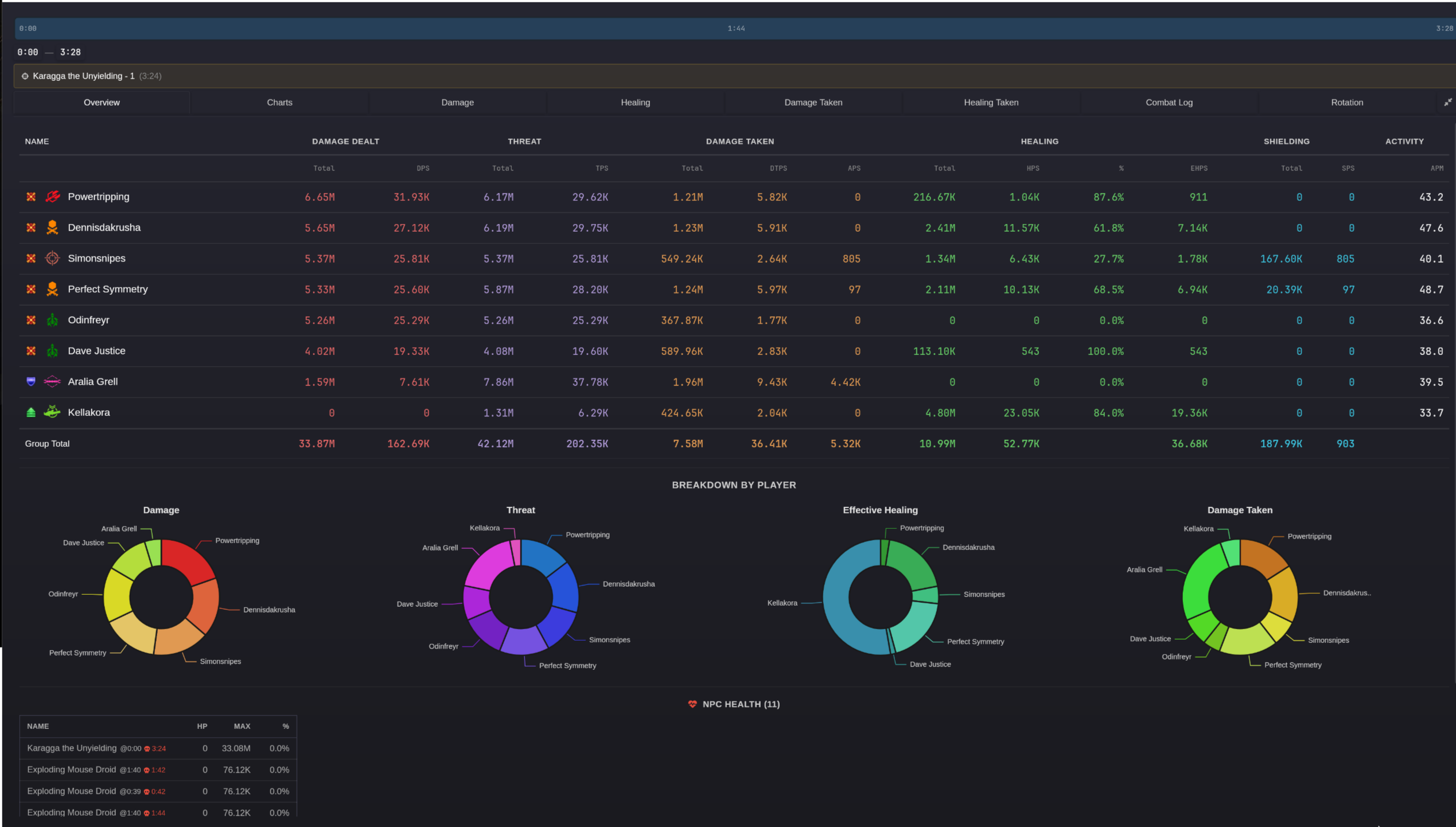
Section titled “Overview”The overview tab serves as a landing page the lets you view raid-wide statistics at a glance.
- A detailed table of common metrics
- Doughnut charts showing the proportion of Damage/Threat/Healing/Damage Taken each player contributed to the group total
- A table showing the last logged health value of every NPC that participated in the encounter
Charts
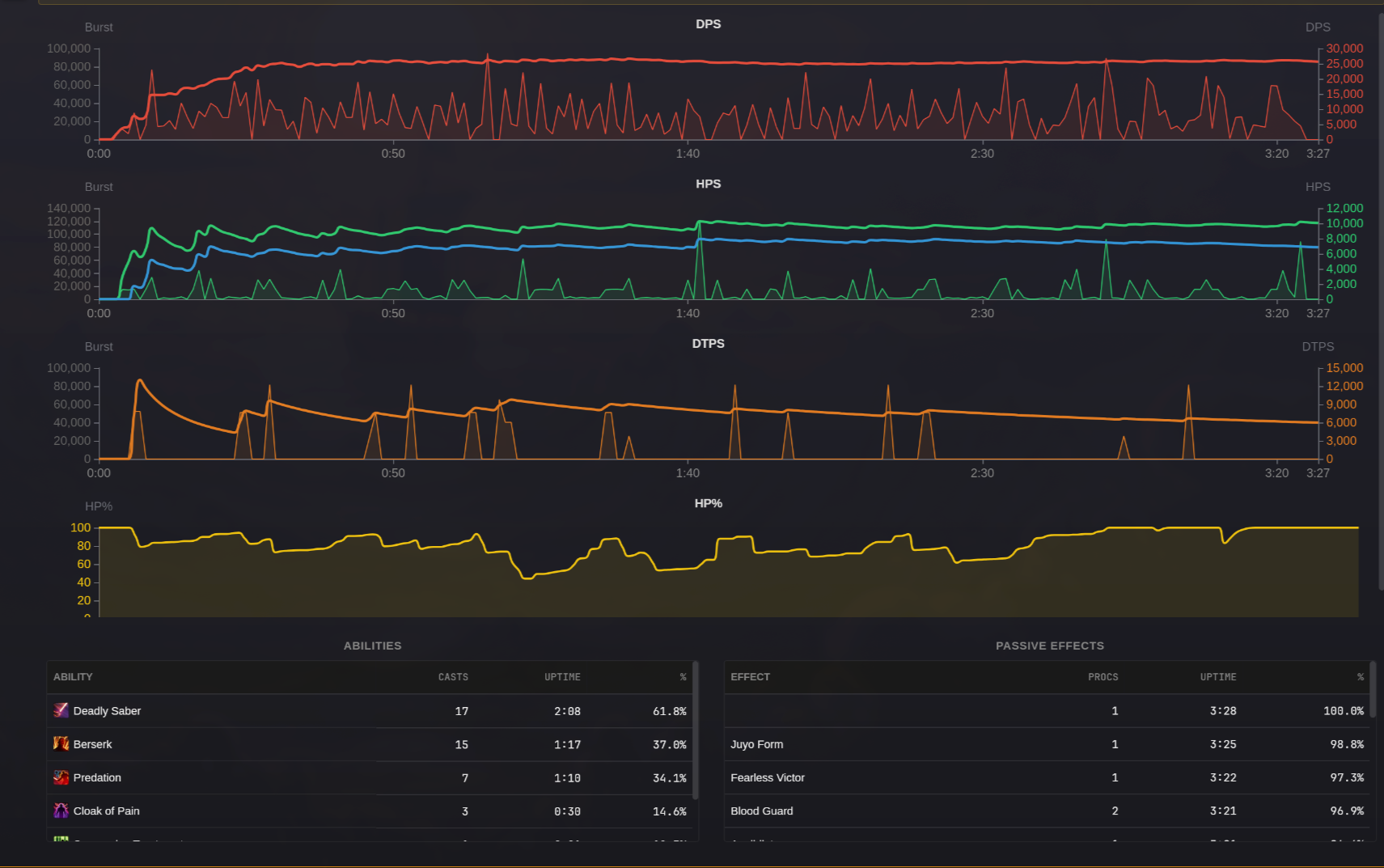
Section titled “Charts”This page time series charts displaying per-player metrics over the course of the fight. The x-axis represents 1-second time intervals. Both burst and per second averages are displayed where applicable.
- DPS - Damage per second over time
- HPS - Healing per second over time. The green line represents raw HPS. The blue line represent EHPS.
- DTPS - Damage taken per second over time
- HP% - the player’s health balance over the fight.
Also shows:
- Abilities - Cast counts and uptime for each ability
- Passive Effects - Proc counts and uptime for buffs/effects
Metric Breakdown Tabs
Section titled “Metric Breakdown Tabs”The Damage, Healing, Damage Taken, and Healing Taken tabs show detailed breakdowns for players and NPCs.
Damage
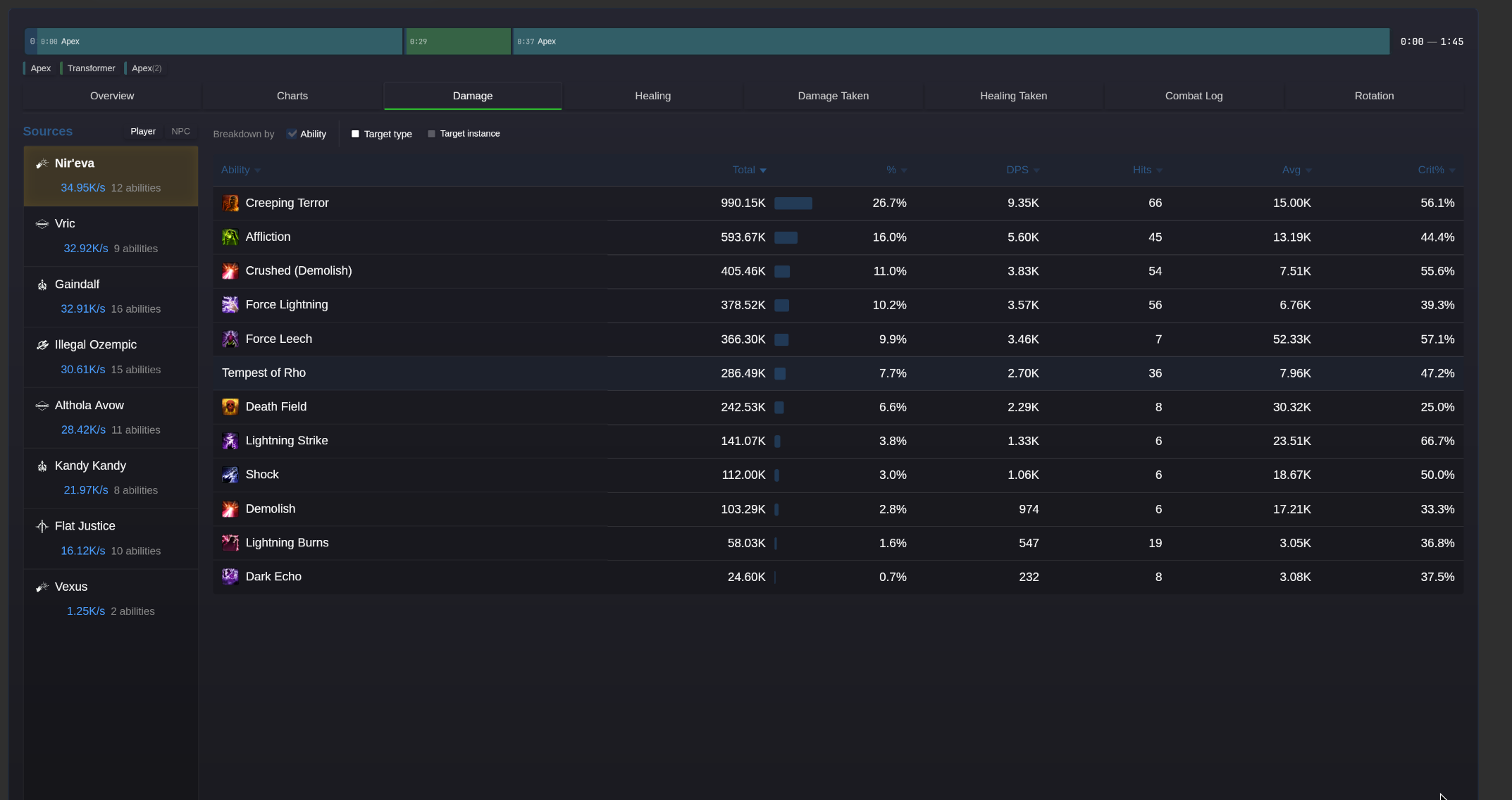
Section titled “Damage”Damage can be be broken down by ability, target type, or target instance or a combination of all three. At least one breakdown value must be selected.
- Activations (by ability) - the number of times an ability was activated by the player
- Hits - the number of hits credited to that ability
- Total - the total damage dealt, beside the total is an inline bar displaying the % of the total
- DPS - the player’s damage per second
- Miss% - the percent of hits that missed
- Crit% - the percent of critical hits
- Avg - The average damage per hit, including misses
- Hit - The average damage per hit when the ability hits, excluding misses
- Crit - the average damage per hit for critical hits only
Healing
Section titled “Healing”Healing can be broken down by ability or target type.
The metrics are similar to the damage tab, however it is worth noting that the shielding totals are included in Raw/Effective healing metrics, and are only broken out into their separate columns for analysis purposes.
Damage Taken
Section titled “Damage Taken”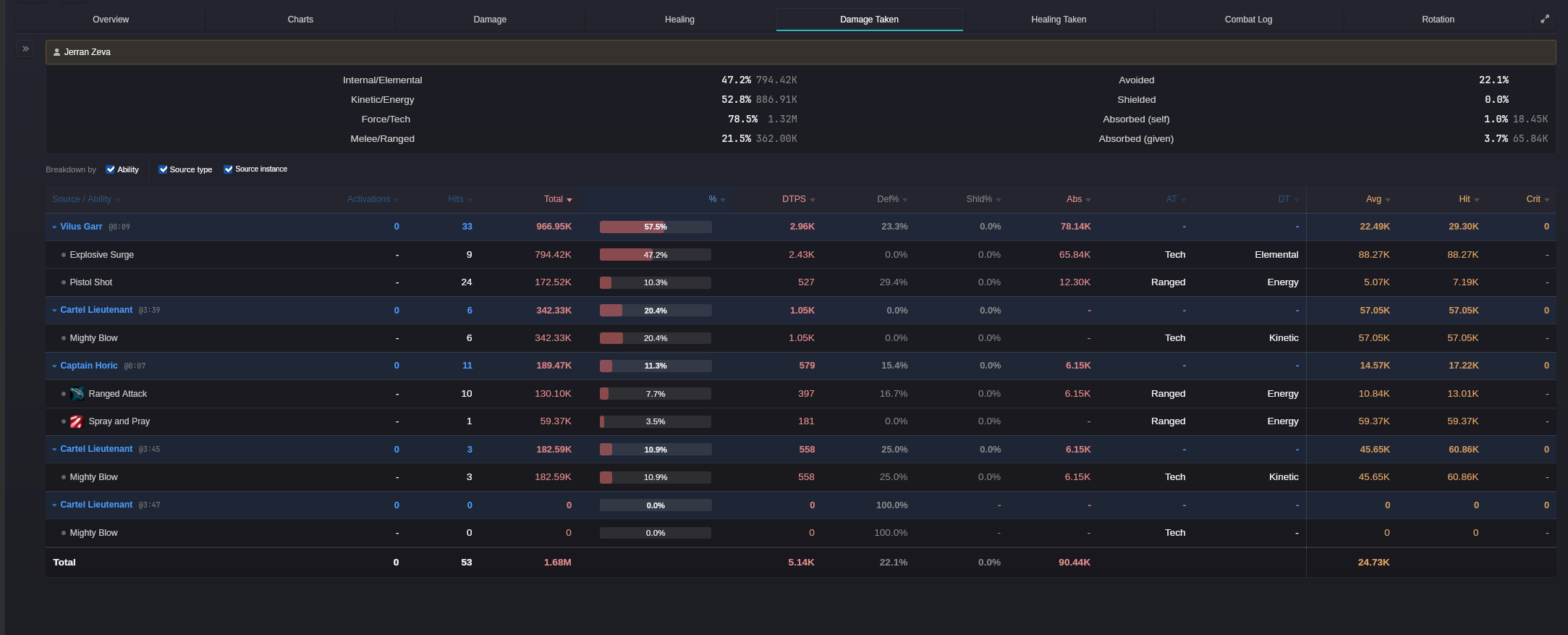
Damage Type Summary
Section titled “Damage Type Summary”At the top of the damage taken tab, there is a summary table displaying:
- Internal/Elemental vs Kinetic/Energy taken
- Force/Tech vs Melee/Ranged
- Percent of damage avoided
- Percent of damage shielded
- Total damage absorbed by self
- Total damage absorption given to self and others
Columns
Section titled “Columns”AT - The attack type (Melee Ranged vs Force/Tech) of the ability this information is not found in the logs. It is based on an ability lookup table provided from parsely.io. As such the information in the table may not extend to all content, especially newer content.
DT - The damage type. This information is taken from the logs and always accurate.
Def % - The percentage of all attacks that were completely avoided through the character’s defense chance.
Shield % - The percent of attacks where a portion of the damage was successfully shielded. This denominator calculation of this percentage only includes attacks that weren’t avoided previously from the defense chance.
Healing Taken
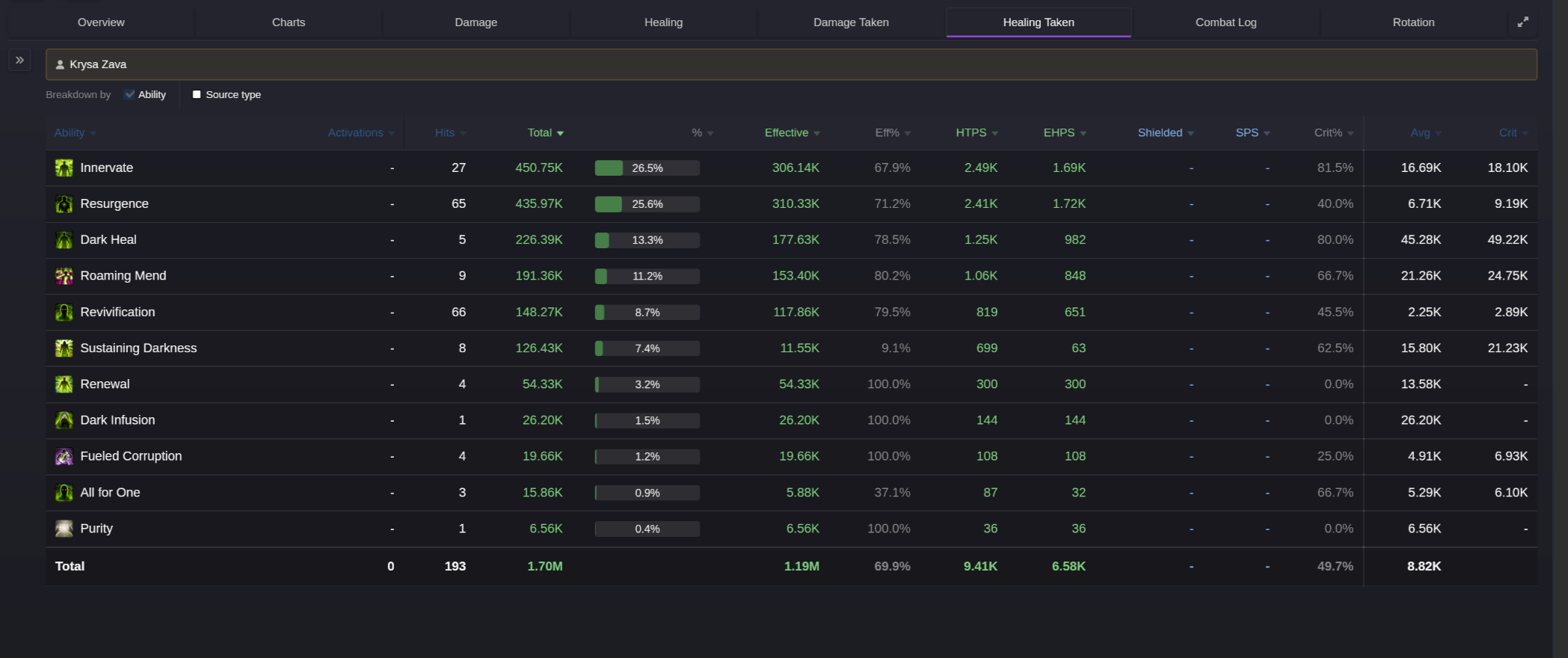
Section titled “Healing Taken”A breakdown of healing received by each player. Similar statistics to the healing tab.
Combat Log
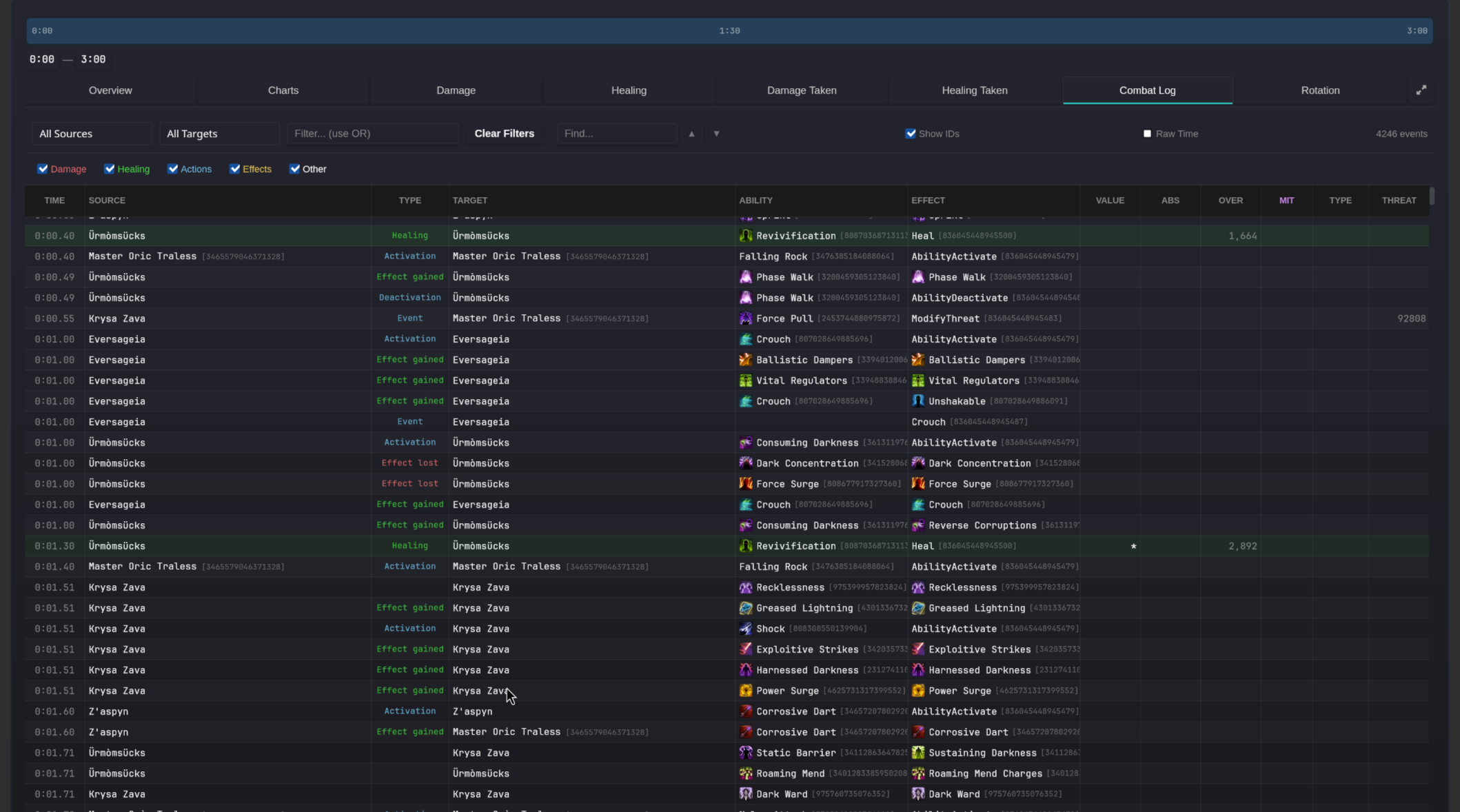
Section titled “Combat Log”The combat log allows viewing each individual event as it was recorded in the game logs.
Columns
Section titled “Columns”- Time - the time at which the event occurred, relative to the start of combat
- Source - The source of the event
- Target - The target of the event
- Type - The type of the log event as classified by BARAS. This column is not in the original logs.
- Ability - The ability that was responsible for the event’s effect on the target
- Effect - The actual game state change recorded by the event. This includes damage, healing, effects lost, and gained or others.
- Value - the amount of healing or damage,
*characters represent critical hits - Abs - the amount of damage absorbed, if any
- Over - the amount of damage or healing over the effective amount
- Mit - the type of damage mitigation, if any
- Type - the damage type, if any
- Threat - the threat change generated by the event.
Filtering
Section titled “Filtering”The text filter is not case-sensitive. Use the OR keyword separated by spaces to allow filtering for multiple distinct values.